Prices on request. Stock and final specifications are confirmed in your written quote.
Branches in Jakarta, Bandung and Yogyakarta, delivering across Indonesia

Home / Workstations / ASUS ExpertCenter Pro ET900N G3

ASUS ExpertCenter Pro ET900N G3

An AI supercomputer that fits under your desk

Built on NVIDIA DGX Station architecture around the GB300 Grace Blackwell Ultra superchip, with 748 GB of coherent memory in one standard tower.
Rp 3.499.000.000 Price per unit. Contact us for details.
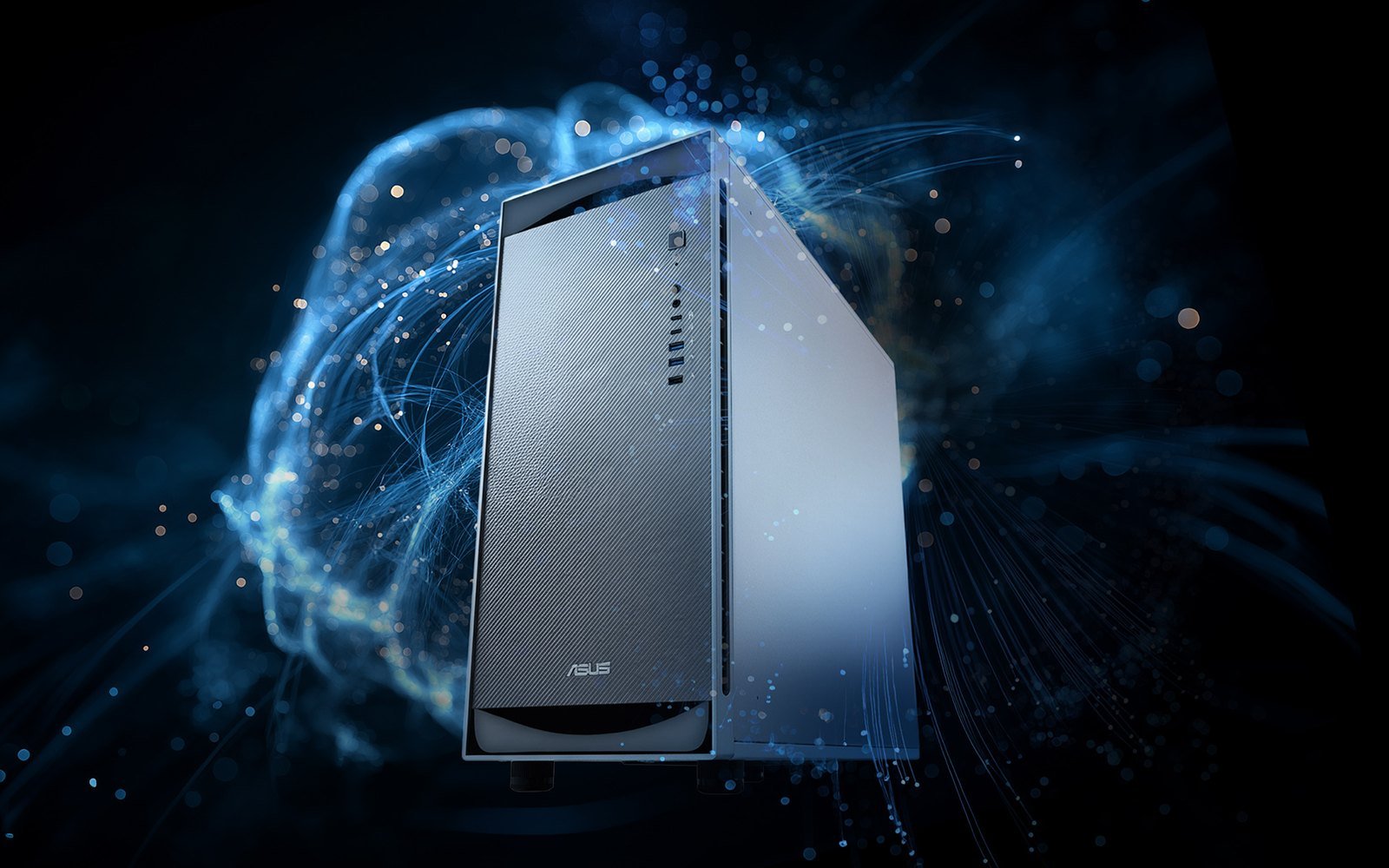
ASUS ExpertCenter Pro ET900N G3 tower workstation in front of streams of blue light
748 GBcoherent memory
20 PFLOPSAI performance, up to (ASUS preliminary figure)
2 × 400GConnectX-8 network ports
72 coresArm Neoverse V2 CPU
A new class of deskside AI

Data-center AI, in an office-ready tower

The ET900N G3 is ASUS's version of the NVIDIA DGX Station. It is designed to build and run AI locally: training, fine-tuning and inference on very large models, plus autonomous agents, without sending your data to someone else's cloud. It is compatible with NVIDIA NemoClaw and NVIDIA AI Enterprise, and ASUS plans to add Windows-based AI development later.

The superchip

One GB300 superchip, one pool of memory

A Grace CPU and a Blackwell Ultra GPU sit side by side and talk over NVLink-C2C, so large models are not squeezed through the slow path between a normal CPU and GPU.

GB300 Grace Blackwell Ultra

One NVIDIA Grace CPU with 72 Arm Neoverse V2 cores and one NVIDIA Blackwell Ultra GPU, joined as a single desktop superchip.

NVLink-C2C interconnect

A chip-to-chip link that gives the CPU and GPU fast, coherent access to each other's memory.

Blackwell Tensor Cores

Support for 4-bit floating point (NVFP4), which lets memory hold larger next-generation models while keeping accuracy high.

Large coherent memory

Train and run big models inside one 748 GB memory pool instead of splitting them across separate CPU and GPU memory.

Workload-aware power

The system shifts power toward whatever is running at the moment, to keep performance and efficiency high.

Add an RTX PRO card

One extra NVIDIA RTX PRO Blackwell GPU can go in beside the superchip, pairing AI compute with ray-traced visualization and simulation.
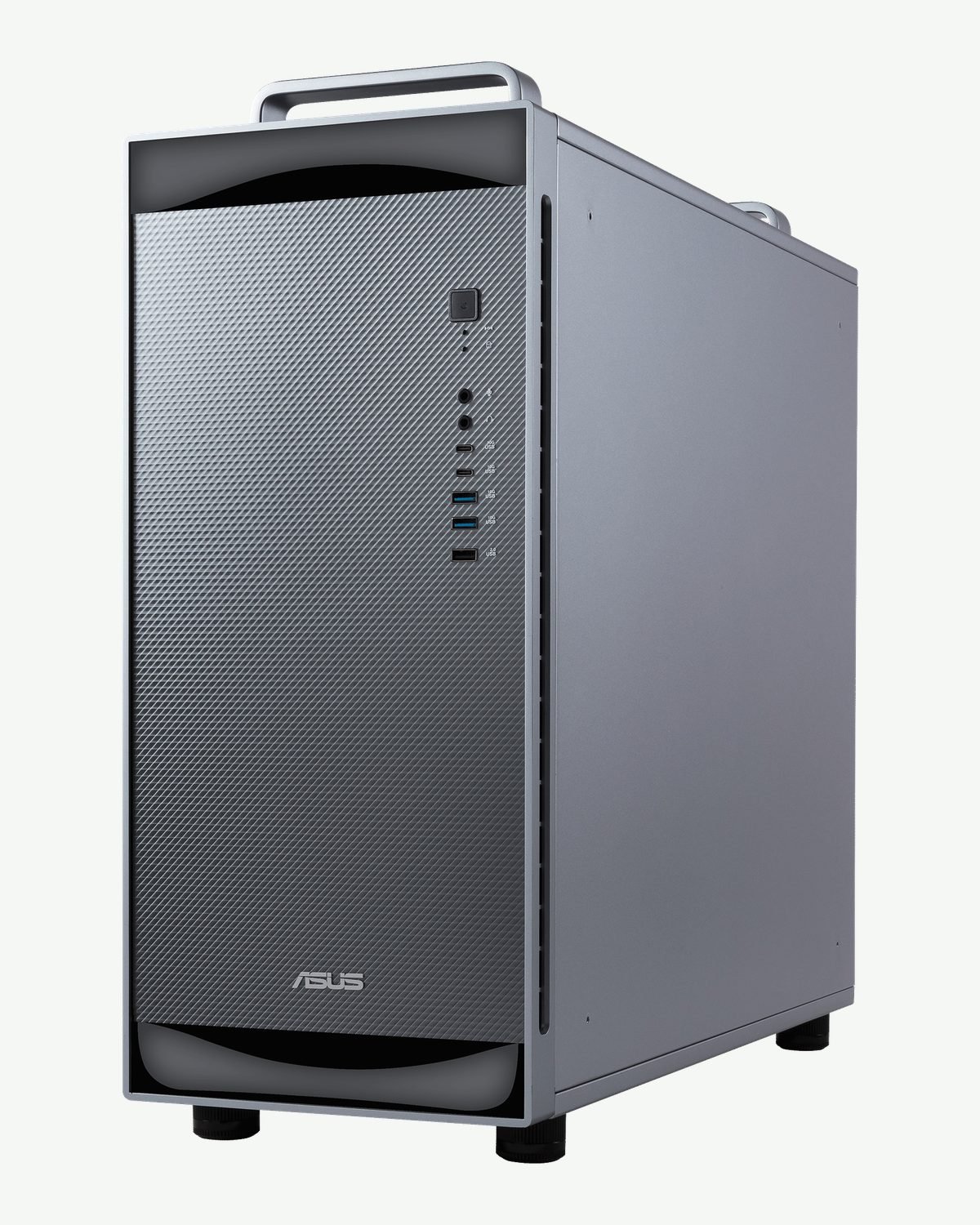
ASUS ExpertCenter Pro ET900N G3 tower, front three-quarter view
Memory and networking

748 GB for the models that will not fit elsewhere

ASUS says the machine can host trillion-parameter models and autonomous agents at the desk.

  • ConnectX-8 SuperNICUp to 800 Gb/s of network bandwidth, and ASUS says it can link up to two DGX Stations to scale model size and speed further. The ET900N G3 has two 400G QSFP112 ports.
  • Room to growThree PCIe 5.0 slots and up to four M.2 NVMe drives (8 TB in total). Two 2 TB drives for the operating system come installed.
Software

Ready for AI from the first boot

The machine runs Ubuntu with NVIDIA AI Developer Tools, with system-specific settings and the CUDA-X libraries already in place. On top of that, ASUS adds Zenni AI Hub.
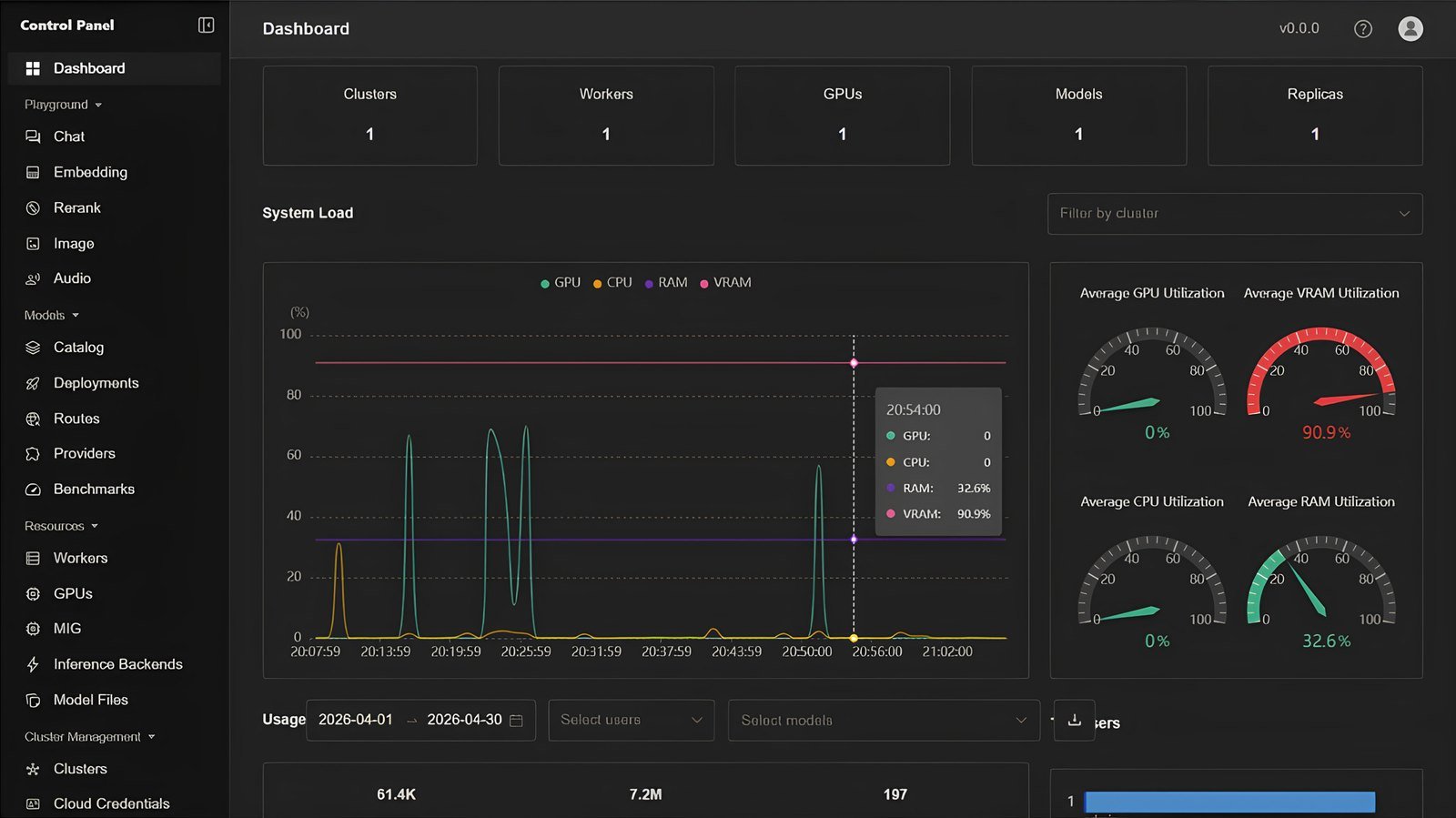
  • ASUS Zenni AI HubDeploy language models and route each request to the best-fit one. Monitor system resources, manage MIG and benchmark performance, then connect deployed models to your applications through APIs.
  • Agents and knowledgeMulti-agent collaboration, plus Knowledge+ so staff can chat with documents, search them and automate tasks from one platform.
  • Share the GPUNVIDIA Multi-Instance GPU (MIG) splits the GPU into up to seven isolated instances, so several people or services can work at once.
ASUS Zenni AI Hub dashboard showing system load and GPU utilization
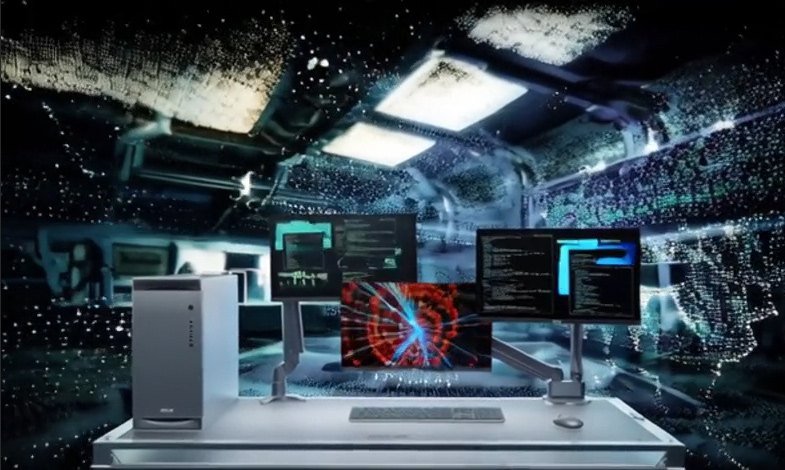
ET900N G3 on a desk with several screens showing AI agent activity
Agentic AI

Agents you can keep under control

With the NVIDIA NemoClaw open-source stack, the ET900N G3 adds privacy and security controls to OpenClaw agents. NemoClaw installs NVIDIA OpenShell, which enforces policy-based guardrails on how agents behave and what data they touch.

The machine also has the compute to run open models such as NVIDIA Nemotron locally, which keeps data private and can lower running cost.

Applications

Where teams put it to work

ASUS points to five areas where deskside AI of this size makes a difference.
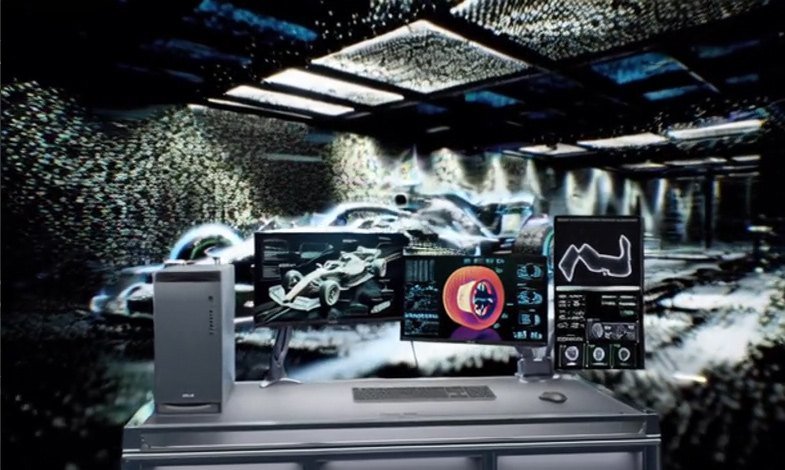
ET900N G3 beside screens showing a race car and track data
Automotive
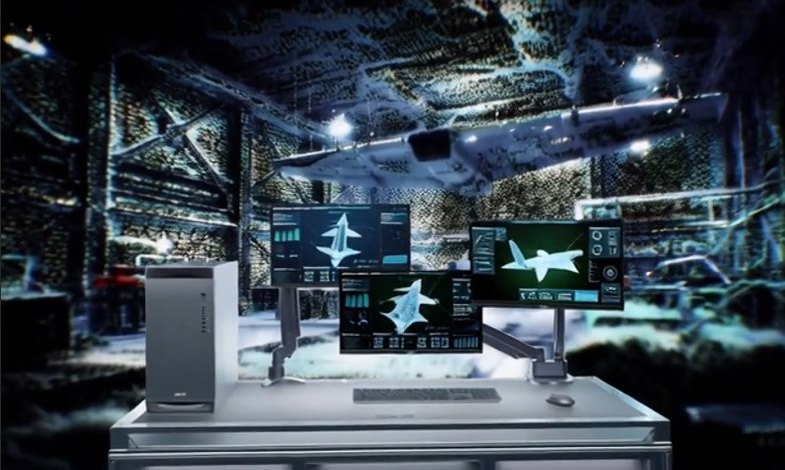
ET900N G3 beside screens showing aircraft models
Aerospace
ET900N G3 beside screens showing AI agent output
Agentic AI
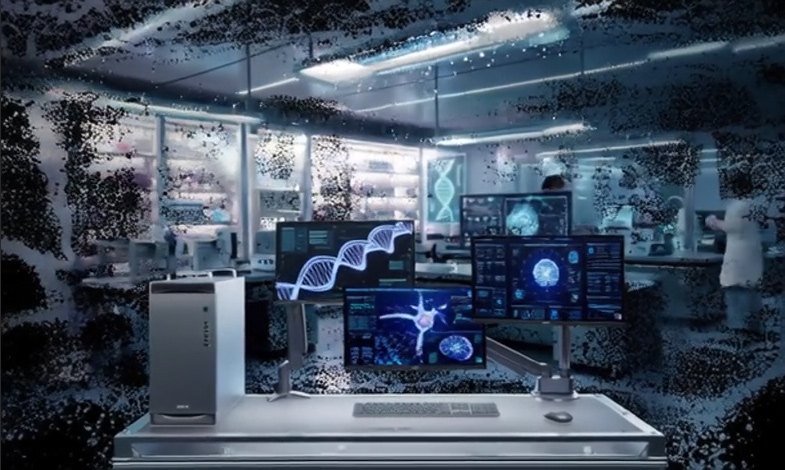
ET900N G3 in a laboratory beside screens showing DNA and scans
Healthcare and medical research
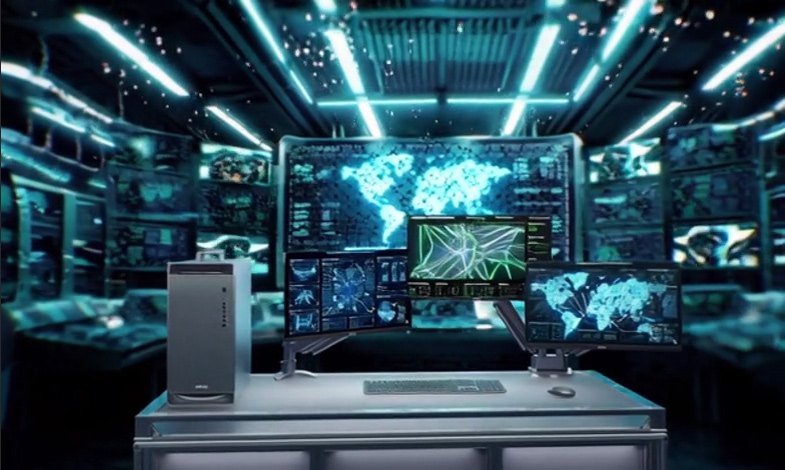
ET900N G3 beside screens showing maps and city data
Smart infrastructure

Wondering which models fit which hardware? See Which hardware runs which AI?
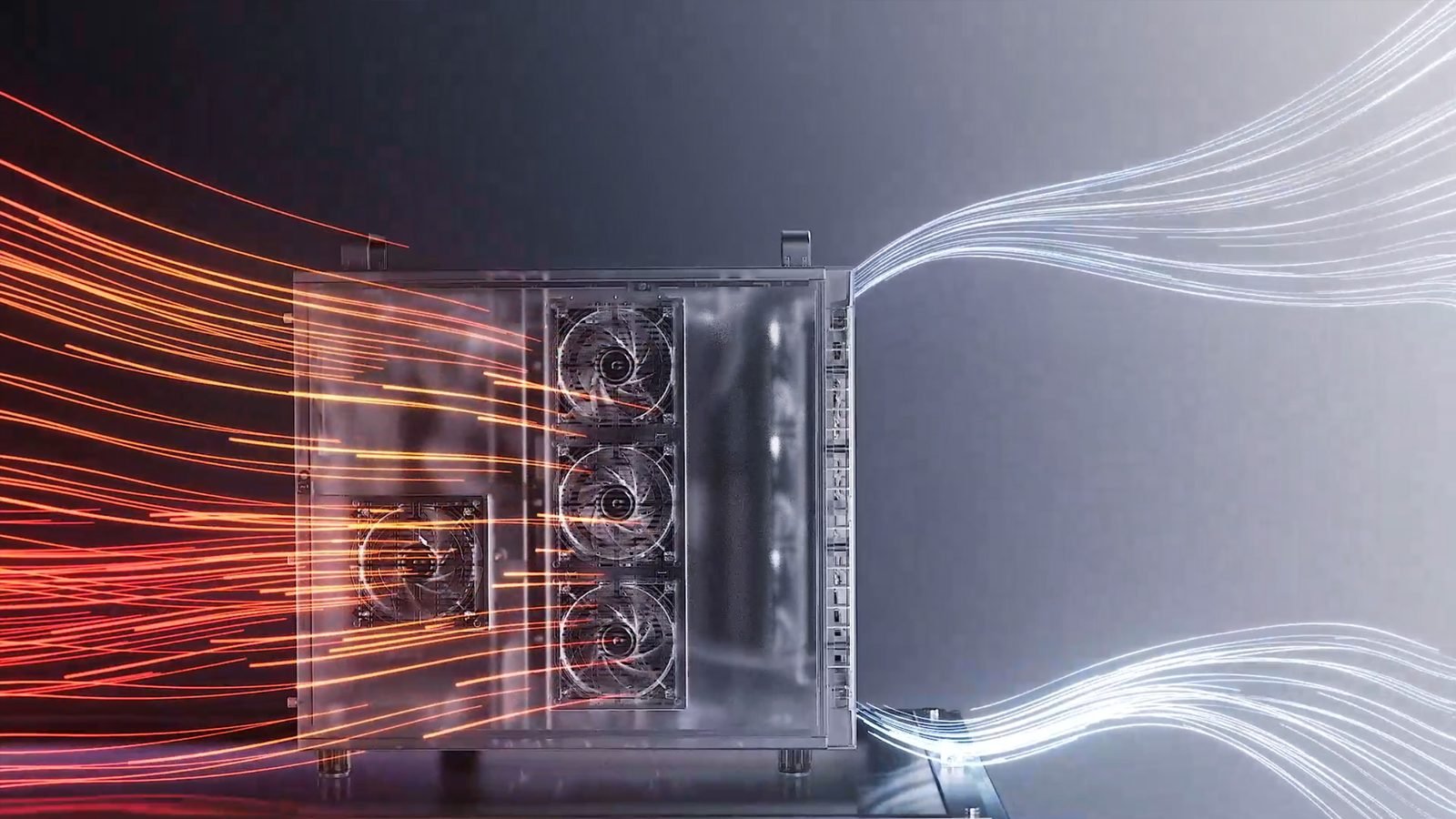
Air flowing through the liquid-cooled ET900N G3 chassis
Thermals and acoustics

Cooled like a data center, quiet like an office

A closed-loop all-in-one liquid cooler keeps performance steady under long AI jobs. The machine is designed to run in rooms from 10 to 35 °C, and in Auto mode at full load without an extra graphics card it stays near 50 dB, which ASUS compares to a quiet office.
10–35 °Coperating temperature
~50 dBAuto mode, full load, no extra GPU
Connectivity and size

Ports on the front and back, in a standard tower

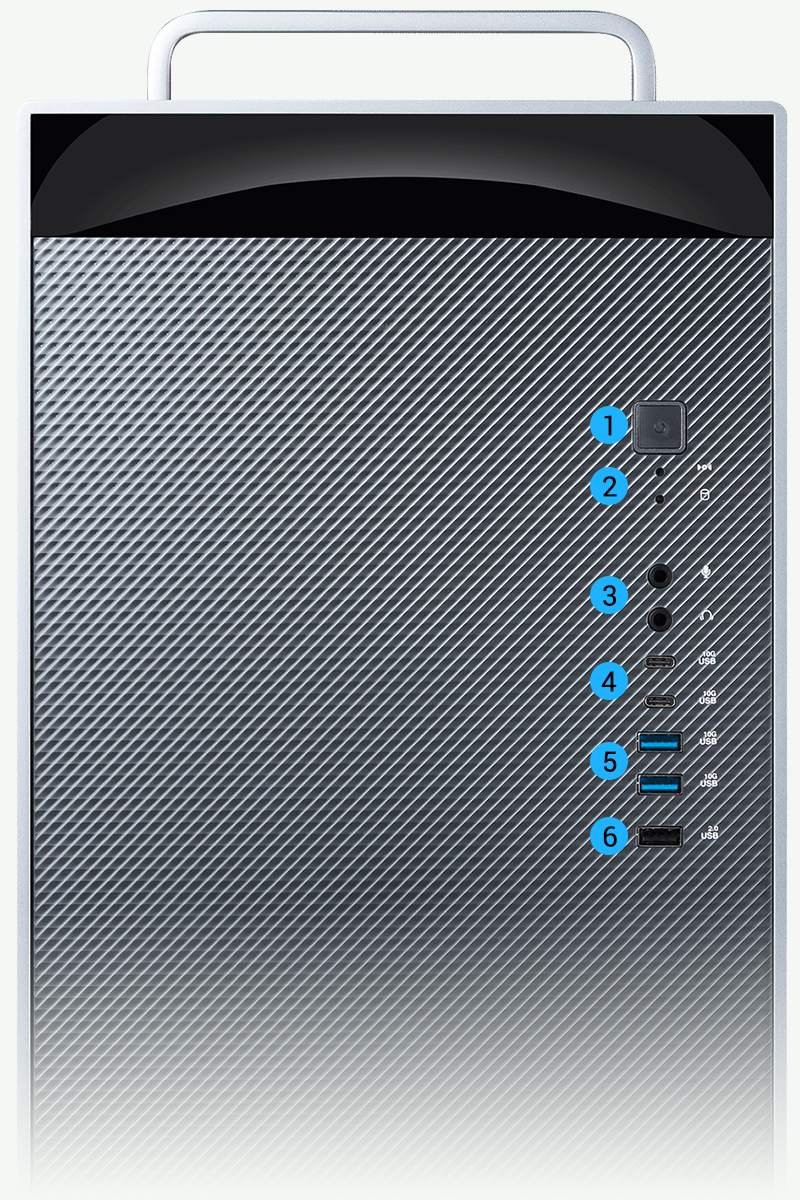
Front of the ET900N G3 with numbered ports

Front

  • Power button and message LEDs
  • Audio: headphone and microphone
  • USB 10Gbps: 2 × Type-C, 2 × Type-A
  • USB 2.0 × 1
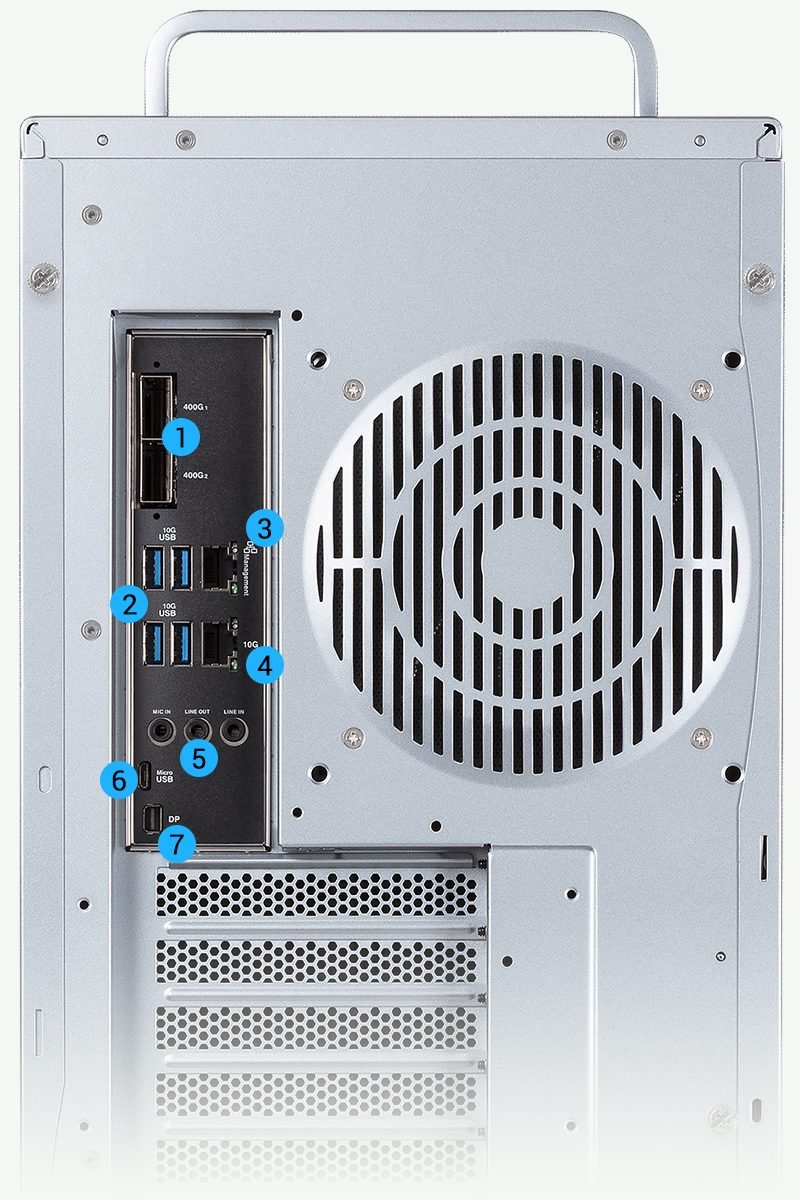
Back of the ET900N G3 with numbered ports

Back

  • 400G QSFP (ConnectX-8) × 2
  • 10GbE and 1GbE (BMC) Ethernet
  • USB 10Gbps Type-A × 4
  • mini DisplayPort and micro-USB COM (both for the BMC), 3 audio jacks
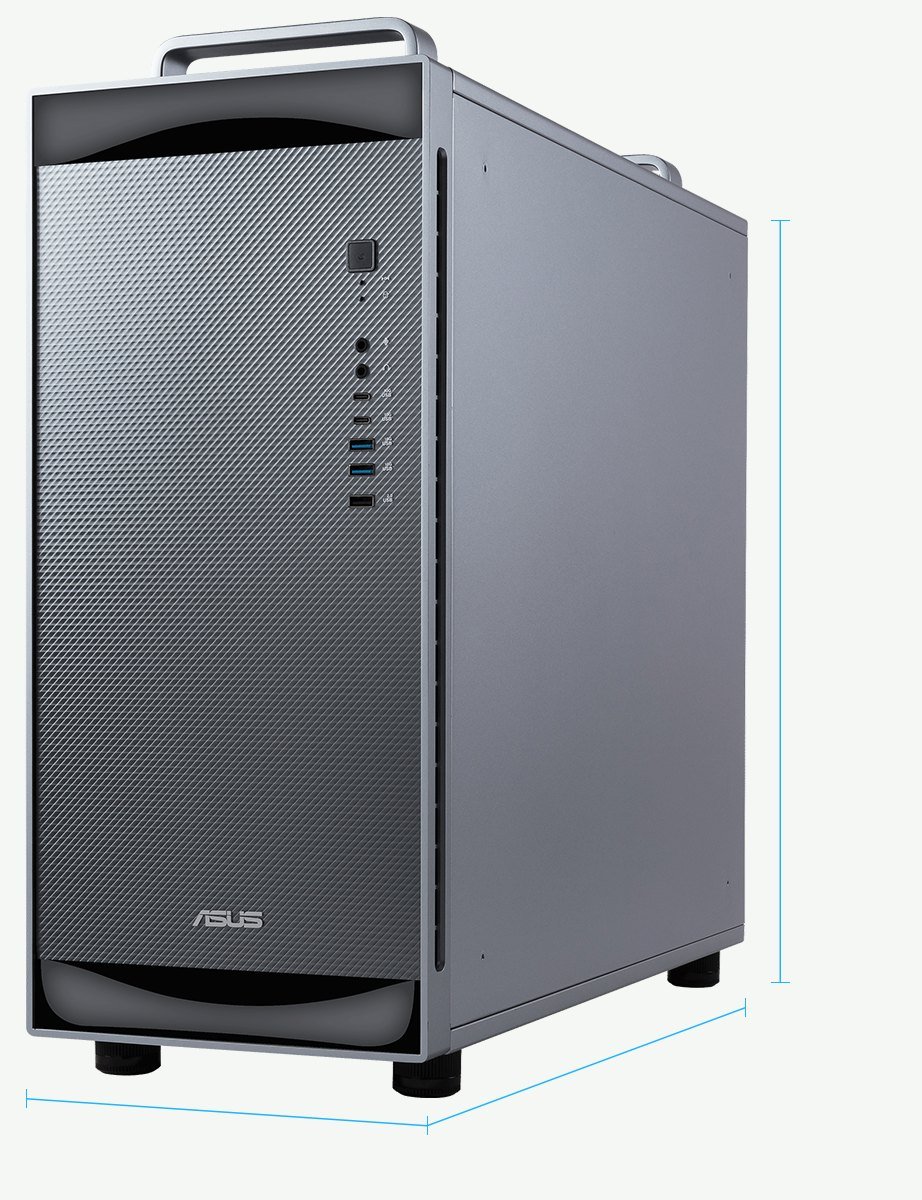
ET900N G3 product shot with dimension lines

Size

  • 584 × 232 × 565 mm
  • 27 kg net, 32 kg boxed
Buy it from EMD Lab

The machine is ASUS's. The rest is ours.

When you order the ET900N G3 from us, it is not just a box on a pallet.

1

Delivered and set up in Indonesia

We bring the machine to you and set it up where it will live.

2

AI software and models installed

The AI software and the models you need are installed, so you can start work on day one.

3

Tested before handover

We test the machine before it leaves us, so you receive one that is known to work.

4

Local support

You have an Indonesian team to call. ASUS offers onsite hardware support after remote diagnosis; availability varies by country, so ask us about support in Indonesia.

Before you buy

A serious machine needs a little planning

Check these points first; we will go through them with you.

  • Power1600 W power supply, IEC C19 power cord (ASUS lists the cord as optional). Outside North America it needs a 200–240 V supply, so plan a dedicated circuit.
  • Size and weight584 × 232 × 565 mm and 27 kg (32 kg boxed). Put it on a solid desk or on the floor.
  • Room temperatureOperating range is 10–35 °C. With the optional RTX PRO 6000 under heavy load, ASUS recommends an ambient temperature below 30 °C.
  • Arm softwareThe CPU is Arm (aarch64), so your software needs a Linux Arm64 build. Most AI tools do, including PyTorch, vLLM, llama.cpp and the NVIDIA stack.
  • 400G network portsThe two QSFP112 ports need QSFP transceivers, which are optional and not included.
  • Optional graphics cardOne card can go in the first PCIe slot: NVIDIA RTX PRO 6000 Blackwell Max-Q Workstation Edition, RTX PRO 4000 Blackwell SFF or RTX PRO 2000 Blackwell.
Tech specs

Specifications

System

Model
ExpertCenter Pro ET900N G3
Operating system
Ubuntu with NVIDIA AI Developer Tools
Processor / system bus
Single NVIDIA Grace CPU Superchip with 72 Arm Neoverse V2 cores; single NVIDIA Blackwell Ultra GPU
Memory
748 GB of coherent memory: 496 GB LPDDR5X CPU memory (396 GB/s) and 252 GB HBM3e GPU memory (7.1 TB/s)
AI performance
Up to 20 petaFLOPS (ASUS preliminary specification, subject to change)

Storage, slots and graphics

Storage
4 M.2 slots in total (optional). 2 × M.2 Key M, type 2280, PCIe 5.0 x4, pre-configured for OS RAID 1; 2 × M.2 Key M, type 2280, PCIe 6.0 x4, for training data. Includes 2 × 2 TB NVMe M.2 SSDs, pre-installed for the OS.
Expansion slots
3 in total: location 1 PCIe x16 slot (Gen 5.0 x16); locations 2 and 3 PCIe x16 slots (Gen 5.0 x8)
Graphics (optional)
Up to one NVIDIA graphics card in the first PCIe slot: RTX PRO 6000 Blackwell Max-Q Workstation Edition (ambient under 30 °C recommended during heavy workloads), RTX PRO 4000 Blackwell SFF, or RTX PRO 2000 Blackwell

Networking and management

Networking
2 × NVIDIA ConnectX-8 SuperNIC QSFP112 ports (QSFP transceiver required); 1 × Marvell 10G Ethernet; 1 × Realtek 1Gb Ethernet (dedicated management LAN for the BMC); 1 × M.2 slot (Key E)
Management
ASPEED AST2600 with AMI MegaRAC based firmware, supporting IPMI 2.0 and DMTF Redfish API; on-board TPM 2.0

Ports and indicators

Front I/O ports
2 × USB 10Gbps Type-C, 2 × USB 10Gbps, 1 × USB 2.0, 1 × headphone, 1 × microphone
Rear I/O ports
4 × USB 10Gbps (Type-A), 1 × micro-USB COM (for BMC), 2 × CX-8 NIC 400G QSFP, 1 × Realtek 1Gb Ethernet (for BMC), 1 × Marvell 10Gb Ethernet, 1 × mini DisplayPort (for BMC), 3 × audio jacks
Switch / LED
Front: power button, storage activity LED, system message LED. Rear: 2 × QSFP LAN activity LEDs, 2 × 10G LAN message LEDs (activity and speed), 2 × 1G LAN message LEDs (activity and speed)

Power, size and environment

Power supply
1600 W Titanium ATX power supply (115–240 Vac, 15–8 A, 50–60 Hz). Power cord IEC C19 type (optional); maximum output depends on regional input voltage and cord. North America: 125 V AC (IEC C19 to NEMA 5-20P). Global: 200–240 V AC (IEC C19 to regional plug).
Dimensions
584 mm × 232 mm × 565 mm (23.0″ × 9.1″ × 22.3″)
Weight
Net 27 kg, gross 32 kg
Environment
Operation temperature 10–35 °C. Non-operation temperature 5–40 °C. Non-operation humidity 20–90% (non-condensing).
Regulatory compliance
CE, FCC (Class A), BSMI, cTÜV SÜD us, KCC
Optional items
QSFP 400G transceivers; Wi-Fi module and antenna

From ASUS's product page

ASUS software
ASUS Zenni AI Hub: deploy and route LLMs, monitor resources, manage MIG, benchmark, multi-agent collaboration, Knowledge+ document chat
GPU sharing
NVIDIA Multi-Instance GPU (MIG), up to seven isolated instances
AI stack
NVIDIA AI Software Stack; compatible with NVIDIA NemoClaw and NVIDIA AI Enterprise. ASUS plans future support for Windows-based AI development.
Cooling and noise
Closed-loop AIO liquid cooling. About 50 dB in Auto mode at maximum load without a discrete graphics card.
Support
Onsite hardware service after remote diagnosis; availability and coverage vary by country or region

Source: ASUS's Tech Specs page and product page, read 25 October 2026. All specifications are subject to change without notice. The 20 petaFLOPS figure is ASUS's preliminary specification. Product pictures are ASUS's.

Talk to us about the ET900N G3

Rp 3.499.000.000 per unit. Tell us what you want to run and how many people will use it. We answer with a written quote and go through power, network and support with you.